Provet release – December 2025: Centrally managed pricing, instant client balances
Pricing Hub
The Pricing Hub lets your central team manage item information and clinic pricing from one place, while still giving each location the flexibility it needs. Use it to keep your catalog consistent across clinics, adjust markups per location, and control where items are available.
You can also control item availability by clinic. Toggle the status column to archive an item in a specific clinic – for example, if you don’t want that item visible in the Oxford Clinic. Archived items remain accessible from the clinic’s archived items list, so teams can still reference them when needed.
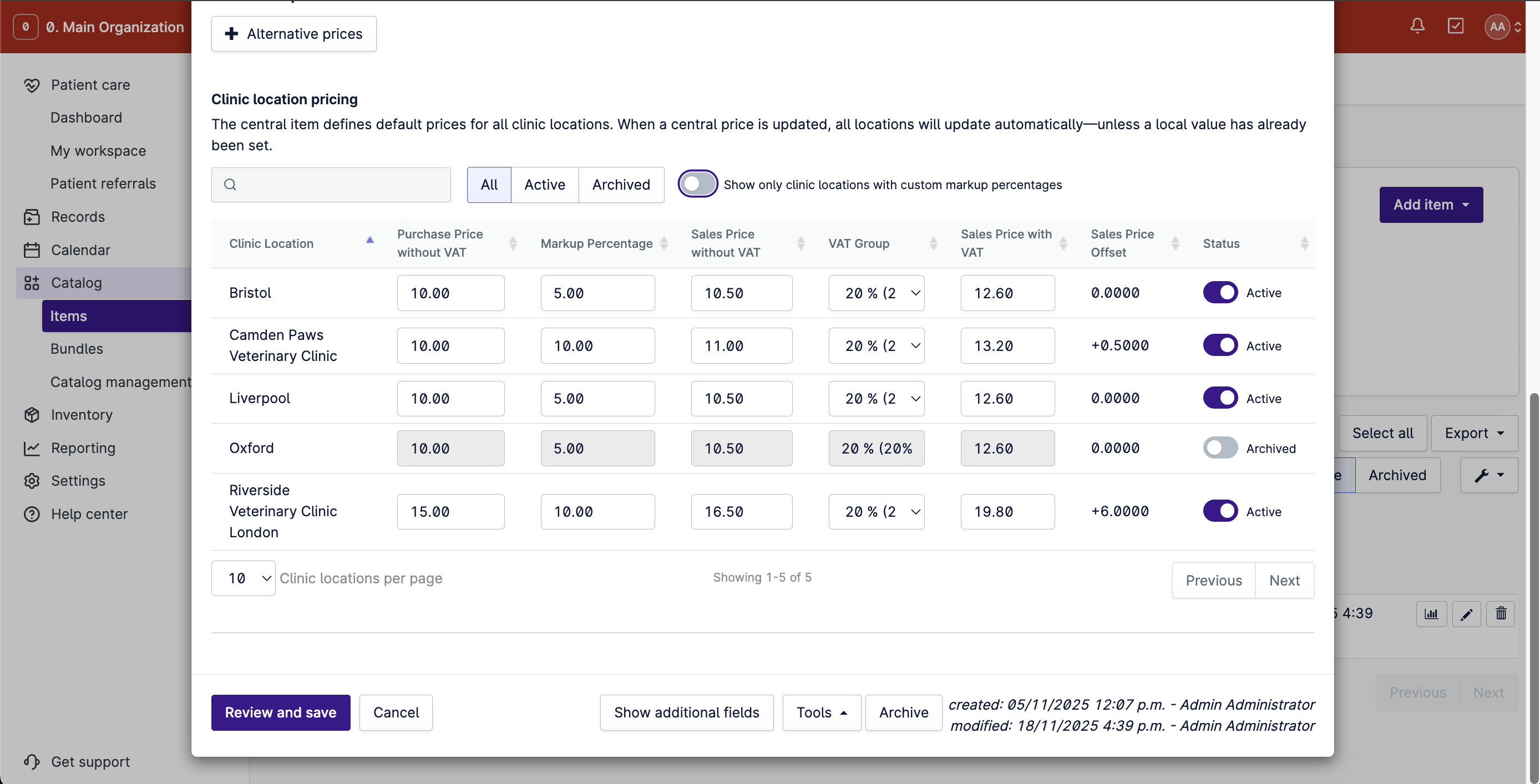
Changes made in local clinics remain visible to the central team. If a clinic updates its purchase price or markup directly, that information is reflected back in the Pricing Hub table, so central users always see the current local prices.
New Provet customers can start out with a pilot of the Pricing Hub with full support from our dedicated implementation team. If you’re a current Provet customer using the Pricing Tool, you can begin a pilot and receive full support with a hands-on migration to the Pricing Hub. To be considered for a pilot, please reach out to support@provet.com.
Client Balance View
The new Client Balance component gives you instant, accurate client balances at a glance. See unpaid invoices, credits, and prepayments in one unified view, without switching screens or doing mental math.
Instead of manually piecing together balances from unpaid invoices, prepayment balances, and credit notes, front desk staff and clinic administrators get a single, clear snapshot of a client’s financial position. This reduces errors, speeds up check-in and check-out, and keeps balance calculations consistent across the team.
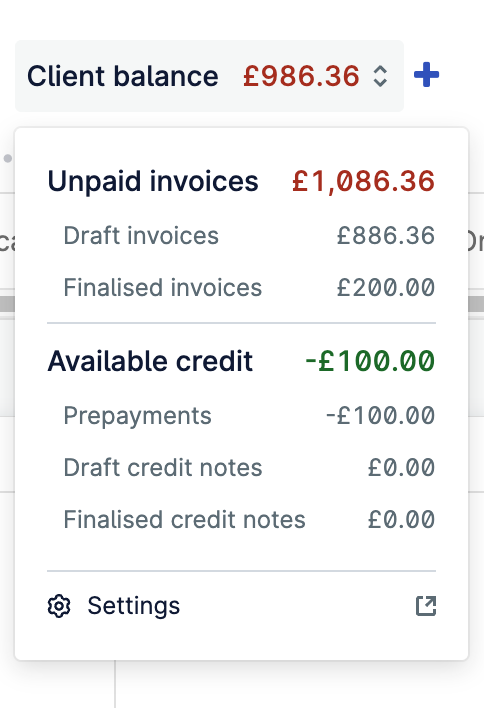
The component now displays unpaid invoices (both finalized and draft), available credit (including prepayments and credit notes), and a configurable setting that lets your clinic decide whether draft invoices and draft credit notes should be included in the balance calculation. If your workflows rely on drafts, you can keep them in; if not, you can exclude them for a more conservative view.
Improvements
- Catalog: Users can now search items in the catalog by their print name, with an optional print name column for faster lookup.
- Patient history: Clinic locations can now choose to display the item print name in patient history when it differs from the item name, making it clearer which items were sold or used.
- Prepayments: When applying prepayments, users can now expand an invoice to see individual line items, making it easier to find and select the right invoice.