More room to work in Provet, plus better catalogue management - August 2026
This month's update is led by a redesigned left-hand navigation that gives you more room to work and faster access to Search and Tasks, and a redesigned Items page and Catalogue Management. Spanish clinics get a one-click PresVet antibiotic export. And eSignature is now powered by Provet's own in-house service, so your clients see the same signing experience they already know.
You'll also find AI improvements across Clinical Agent and Ask Provet, plus a Health Plans tweak that puts payment actions where you'd expect them.
New
A cleaner Provet with more room to work
For: All users
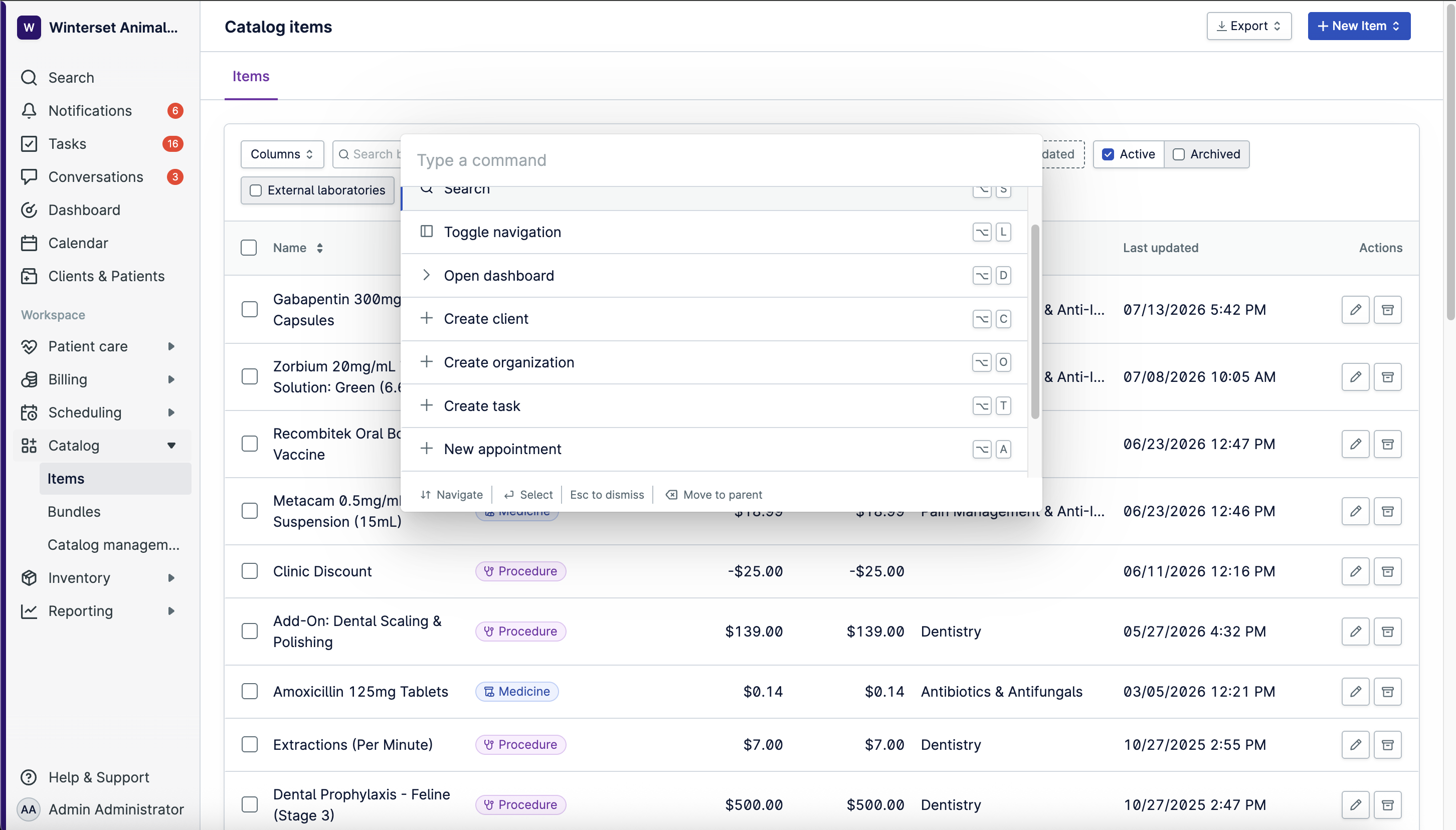
Provet's navigation has been redesigned to give you more vertical space for the work that matters. Navigation now lives on the left, Search stays available whether the menu is expanded or minimized, and knowledge base and help now sit together in one Help & Support section. A colored banner on the left keeps your clinic location easy to spot at a glance.
Help: Overview of the Provet User Interface, Overview of the New Navigation and Sidebar
A redesigned Items page and cleaner Catalogue
For: Clinic admins managing items and pricing
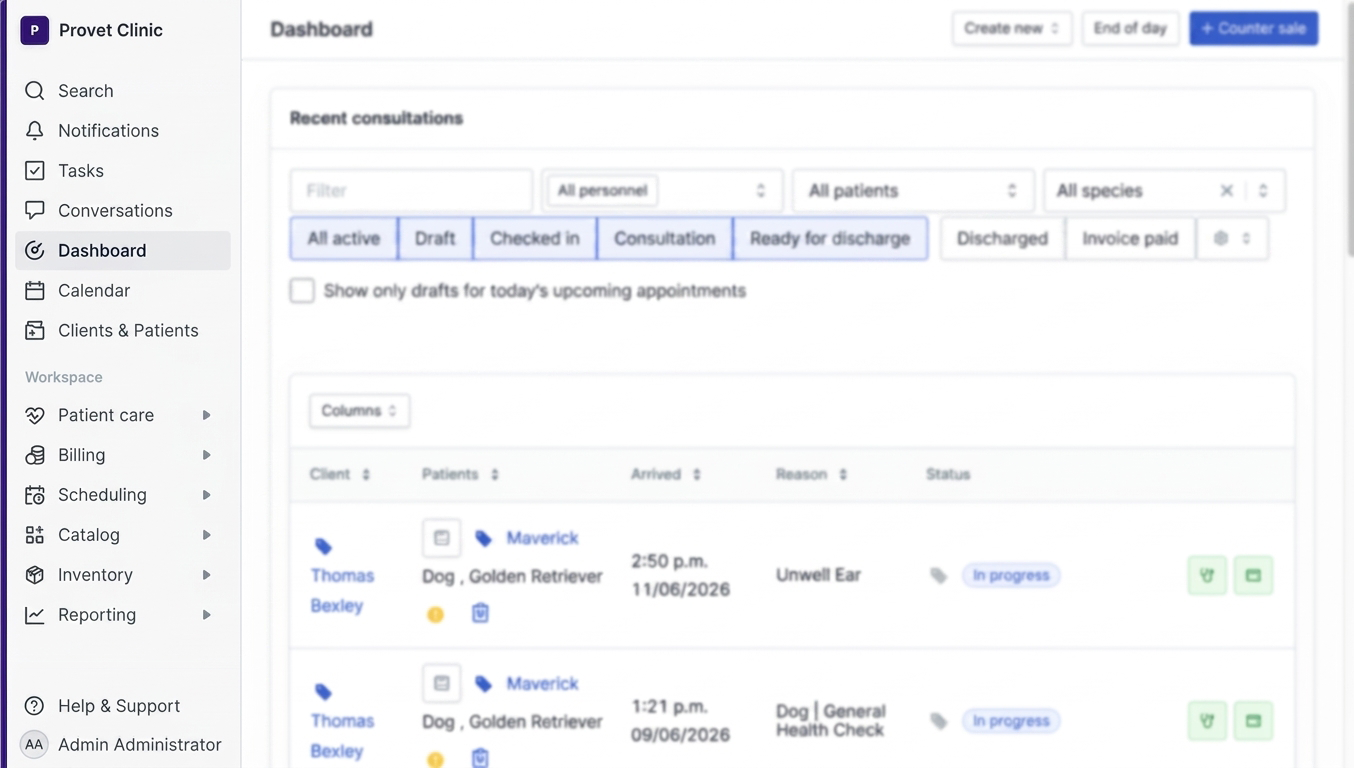
The Items page and Catalogue Management have been redesigned to be faster and easier to work with. Two new filters make items easier to find: Wholesalers and Last Edited. Conditional Pricing has moved out of Settings and into the Catalogue area, so catalogue-related controls stay together.
Help: Search for Items in Your Item List
Report antibiotic use to PresVet in one export
For: Spanish veterinary clinics (invoice country ES)
Spanish veterinary clinics are legally required (Real Decreto 666/2023) to report all antibiotic prescriptions to the national PresVet portal. Provet can now generate that report for you in one click.
You'll find it under Reports → Stock management → PRESVET antibiotic export. It produces an XLSX file matching the official 16-column PresVet template, ready to upload. Antibiotic data is pulled from consultation medicines, counter sales, and standalone written or phone prescriptions, deduplicated and sorted chronologically. Fields Provet can't derive (for example, Segundo Apellido) are left blank for you to complete before upload.
Help: Notificación de antibióticos en España — PresVet
Improvements
A more reliable eSignature, without changing how you sign
For: Clinics using eSignature
eSignature is now powered by Provet's own in-house service, replacing the previous third-party integration. The signing experience is exactly the same for your clients, but signature data is now handled and stored inside Provet.
Signing-request emails to pet owners are now sent by Provet and branded with your clinic's logo, colors, and name instead of the old generic template.
Help: Using E-Signatures with Clinic Devices
.png)
Include PDFs in your Patient History summaries
For: Clinics using Clinical Agent (formerly Clinical AI)
Clinical Agent's Patient History summarization now includes PDFs attached to the patient's history, so imaging reports, referral letters, and prior lab results are considered alongside the structured record when a summary is generated. That means fewer "did we look at the referral letter?" moments and a fuller picture in one view.
No more usage limits on AI Patient History and Discharge
For: All Clinical Agent users
The 30-usage cap on AI Patient History summary and AI Patient Discharge for free-tier Clinical Agent users is gone. All users, free or paid, now have unlimited access to both.
Export Ask Provet answers
For: Practice managers, clinic owners, and finance admins with reporting access
Ask Provet answers can now be exported to CSV or Excel, which is useful when you want to pull a live-data answer into a board pack, a reconciliation, or a report you're already building. You can also rate any answer with 👍 or 👎, which feeds directly into how Ask Provet learns and where we focus improvements.
Help: Overview of Ask Provet
Health Plan payment actions where you'd expect them
For: Clinics using Health Plans
The request summary email action and the plan status now sit above the fold on the Health Plan page. No more scrolling to the bottom to find them, and a lot fewer scrolls per day for your team.
Create a Task from anywhere with the new Command Menu
For: All users
The Command Menu, opened with ⌘K on Mac or Ctrl+K on Windows, now includes a quick-create for Tasks. You can create a task from any page in Provet, and if you're on a Client or Patient page, the Command Menu pulls that context in automatically.
A quick-access side panel for Tasks, Notifications, Conversations, and Ask Provet is coming next.