Provet Release – July 2026: AI Actions for one‑click charting, plus Ask Provet for instant financial answers
AI Actions for one‑click charting, plus Ask Provet for instant financial answers - July 2026
This month’s update is led by two new AI capabilities: AI Actions turns what’s said in the consult into ready‑to‑add diagnoses, medications, treatments, and vitals (and can add billable items to the invoice), while Ask Provet lets you ask plain‑English questions in Provet Reporting and get live answers from your financial data.
You’ll also find workflow improvements across PDF forms (multi‑context templates + automatic location logos) and bulk payment uploads from Excel.
New
Your chart and invoice are done before you leave the room
For: Veterinarians using Provet’s AI Scribe
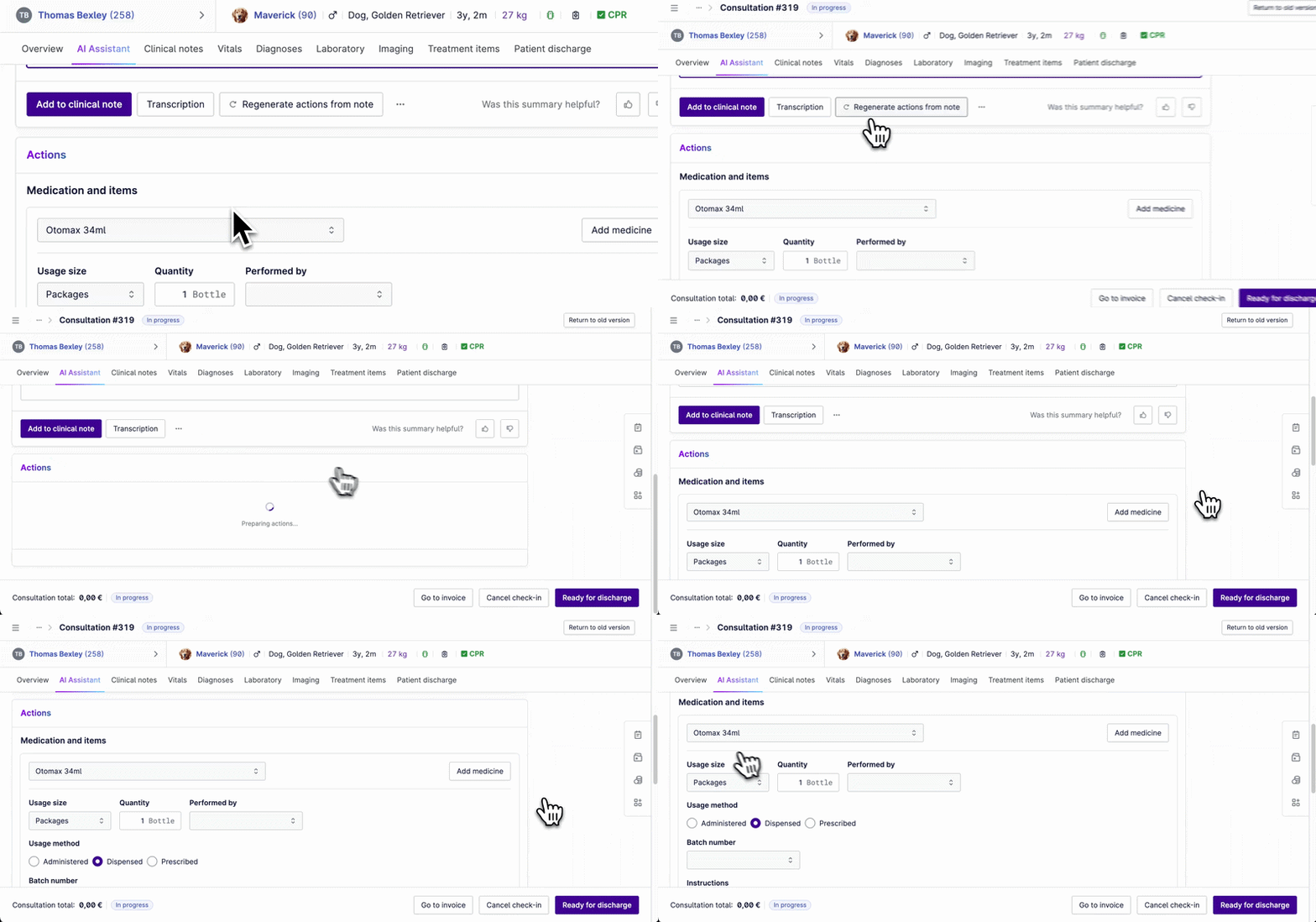
While AI Scribe transcribes and summarizes the consultation, AI Actions listens for clinical details you mention — diagnoses, medications, treatments, and vitals — and matches them to items in your Provet database. Those items appear in a new Actions block inside the AI Assistant tab, where you can review, adjust, and add them to the medical record in one click.
Once you approve, AI Actions also adds billable items directly to the invoice. That means less after‑hours charting, fewer missed charges, and fewer “did we remember to add that?” moments after the consult ends.
Ask the question, don’t build the report
For: Practice managers, clinic owners, and finance admins with reporting access
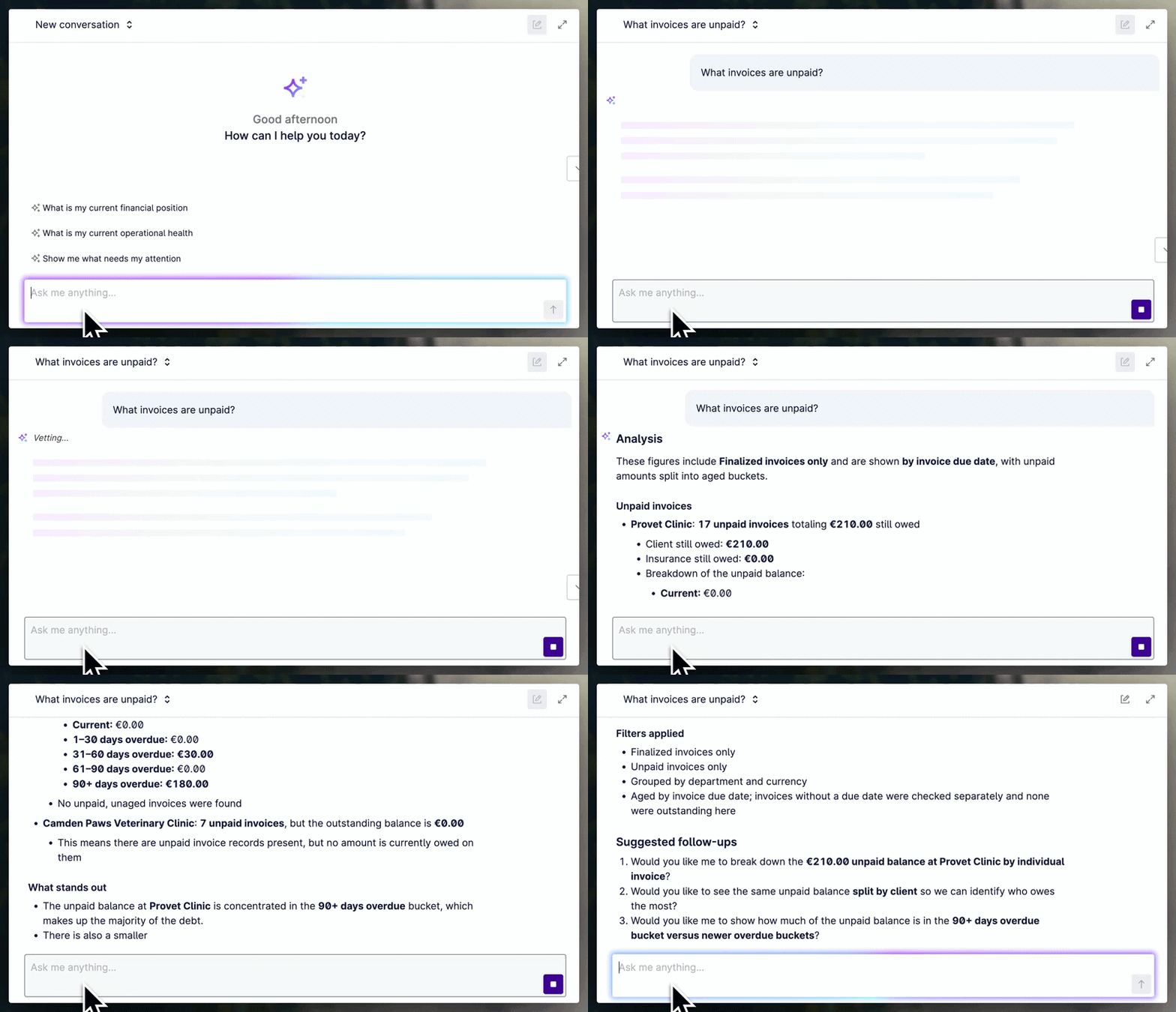
Ask Provet is an AI Agent inside Provet Reporting. Type a question like “How are clients paying us?” or “How much did we make this month?” and get an answer in seconds, pulled live from your invoices, payments, debt, items, and health plans.
Ask Provet doesn’t just return a number — it explains what the numbers mean in clinic context and suggests a sensible next question, so you can get the insight without stitching together multiple reports or exporting to spreadsheets.
Help: Overview of Ask Provet
Improvements
Create one PDF form and use it everywhere (multi‑context PDF forms)
For: Clinics using PDF forms
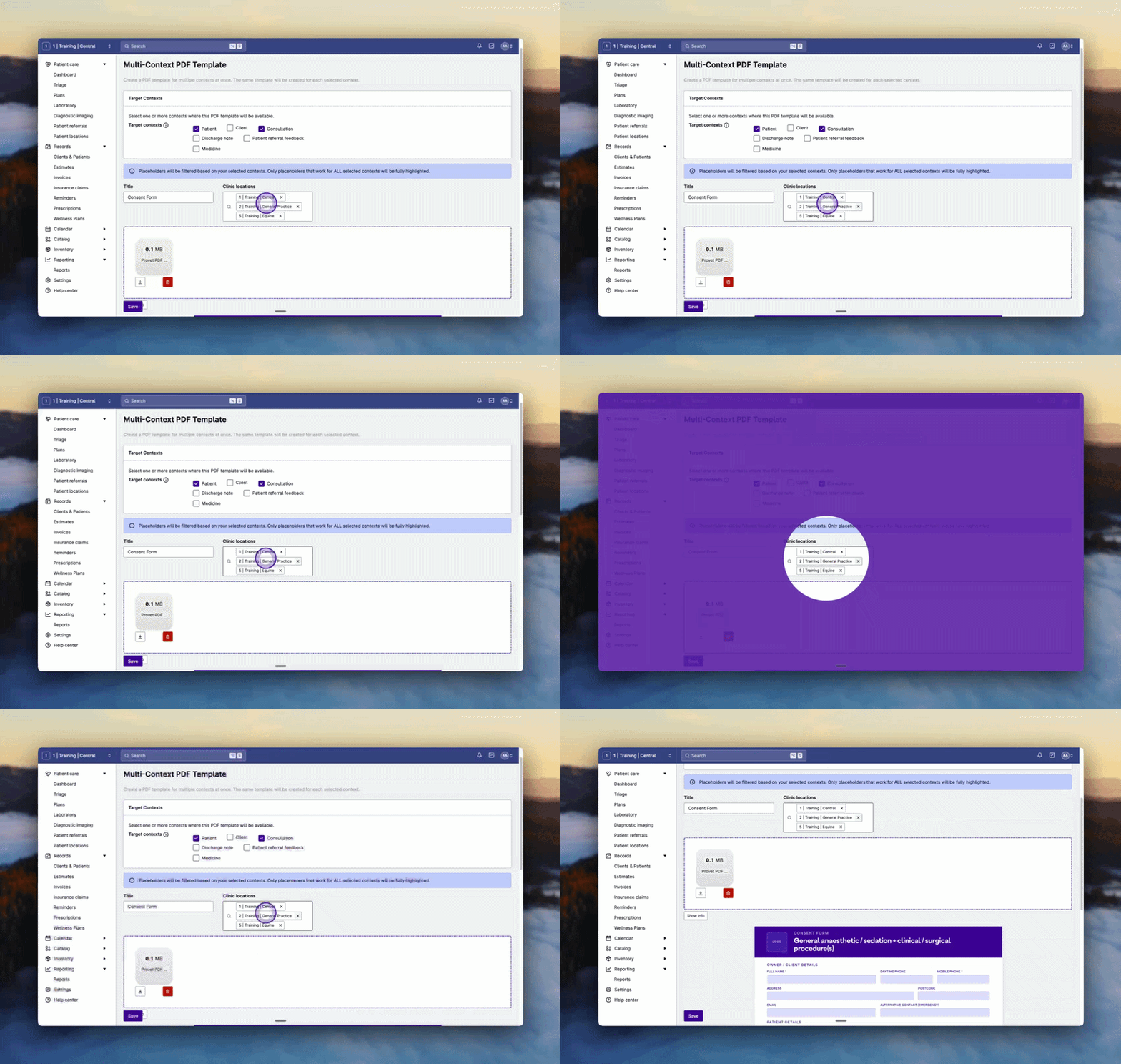
You can now create a single PDF form and assign it to multiple areas (for example: Patient, Consultation, and more) in one step. A new master template lets you push updates across all copies, with the option to overwrite or keep any location‑specific edits.
This also works with central clinic forms: create centrally, then publish to the locations you choose — helping multi‑location groups stay consistent without managing dozens of nearly‑identical PDFs.
Help: Set up PDF Forms

Automatically show the right clinic logo on PDF forms
For: Clinics using PDF forms across multiple locations
PDF forms can now pull in the correct clinic location logo automatically. Add an image field to your PDF and map it to [[department_logo]] in Provet — the form will render with the right logo based on the clinic location, without hard‑coding or maintaining separate PDFs per site.
This is especially useful for onboarding and multi‑site rollouts, where one standardized form needs to look “native” at every location.
Help: Create and Manage Centrally Managed Forms
Choose the billing day for Health Plan payments
For: Clinics using Health Plans
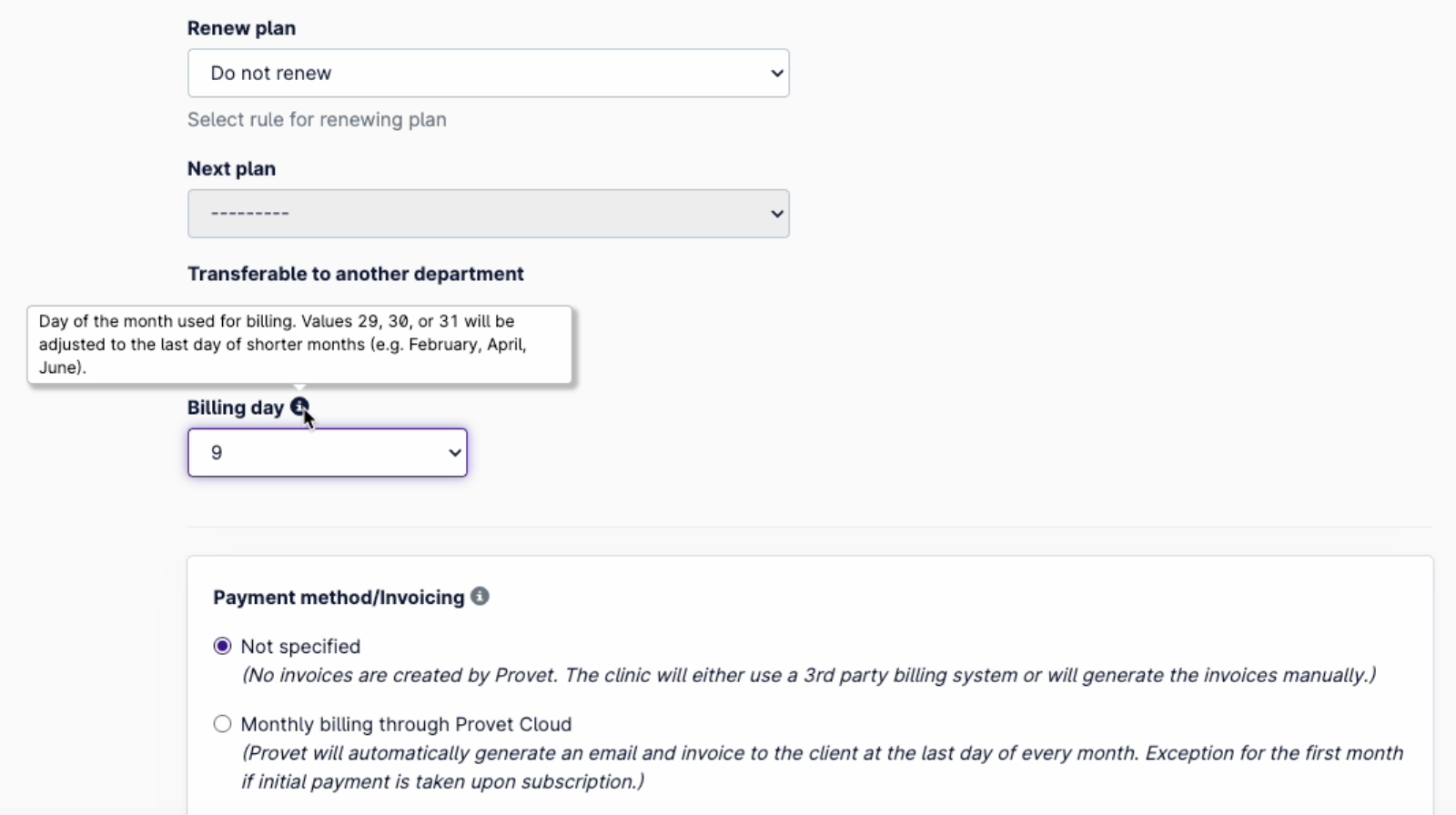
You can now set the billing day for Health Plan subscriptions — so clients can be charged on any day of the month (1–31) instead of only on the last day.
- Set a default billing day on the Health Plan template (changes apply to new subscriptions).
- On New subscription, the billing day is pre‑filled from the template and can be adjusted for that individual patient before creating the subscription.
- If you select 29, 30, or 31, Provet automatically adjusts the billing date in shorter months (for example February, April, and June).
Help: Create a Health Plan · Add a Patient to a Health Plan