8 Steps To Get Started with AI Scribe for Veterinarians
First published in September 2025. Updated in July 2026.
One hand on a wiggly patient, an anxious owner with questions, the clock ticking. Do you capture every detail in the record or keep eye contact with the client? Most veterinarians don’t have the luxury. They try to do both, often taking them late into the evening. Documentation is essential but draining, and it’s one of the biggest drivers of professional burnout.
AI scribe tools are gaining traction in veterinary medicine for good reason. Instead of typing while you work, they listen to your consultation, capture the important details, and draft a usable medical note. The result is less time wrestling with records, more time for patient care and client connection.
At Provet our all-in-one veterinary PIMS is designed specifically for veterinary workflows. It doesn’t just transcribe – it organizes your conversations into SOAP notes, captures terminology accurately, and ensures nothing critical gets lost. And you stay in control because the AI-generated summary is only a draft until you edit and approve it.
To help you realize the benefits of our AI Scribe, we thought you should hear how Provet customers have been experimenting with it.
These tips aren’t just theoretical. They come straight from veterinarians who’ve piloted AI Scribe in their own busy clinics – real-world lessons you can put to work right away. Their feedback – what worked smoothly, what needed a tweak – has shaped this 8-step guide to getting started.
1. Start small with a pilot
Jumping in all at once with AI Scribe can feel overwhelming. Instead, start with one or two consult types where note-taking is especially time-consuming – for example, complex medicine or dermatology cases. Then choose a simple goal, like cutting five minutes off each consult or finishing notes before lunch.
Early adopters of our AI Scribe tool spent less time documenting these detailed, narrative-heavy visits. By piloting in areas where documentation is most burdensome, you’re more likely to see immediate benefits and build team confidence.
2. Set your guardrails (because you’re still the author)
One of the most common concerns about AI Scribe is: “What happens to the recording? And what if it gets something wrong?” Here’s the important thing to keep in mind: you’re always in control.
With Provet, the AI Scribe-generated summary is temporary by default – a banner even reminds you that “This summary will only exist for 24 hours” unless you add it to the record. Nothing is stored permanently without your approval. Security and compliance are built in, with enterprise-grade safeguards.
We recommend applying these baseline standards to any AI scribe tool you consider using:
- The AI draft is never final until reviewed and edited by a veterinarian.
- Security protocols (e.g. ISO 27001:2022, GDPR compliance) are non-negotiable.
- Ensure summaries are set as temporary to reduce long-term data risk.
Think of the AI as a medical scribe student: it drafts, but you are the supervising clinician who decides what makes it into the official record.
3. Do a quick tech check
Before your first live consult, run a one-minute rehearsal:
- Test mic and browser permissions (some browsers block audio by default).
- Open a test patient and confirm the system recognizes speech clearly.
- Choose your preferred format (SOAP or narrative).
- Check your internet connection won’t time out mid-consult.
What kind of microphone should you use?
Fortunately, you don’t need to spend a lot to capture a good recording. Provet customers reported that their computers’ built-in mics performed sufficiently for AI Scribe. For even better results, consider a quality USB microphone that connects directly to your laptop or desktop. Bluetooth-enabled mics or headsets can also work well, but they should be tested in advance to ensure clarity and compatibility
A quiet environment also helps. While you don’t need soundproof walls, try to minimize chatter outside the room, and avoid team members talking over each other during the visit. A small upfront check avoids a lot of frustration later.
4. Narrate clearly and intentionally
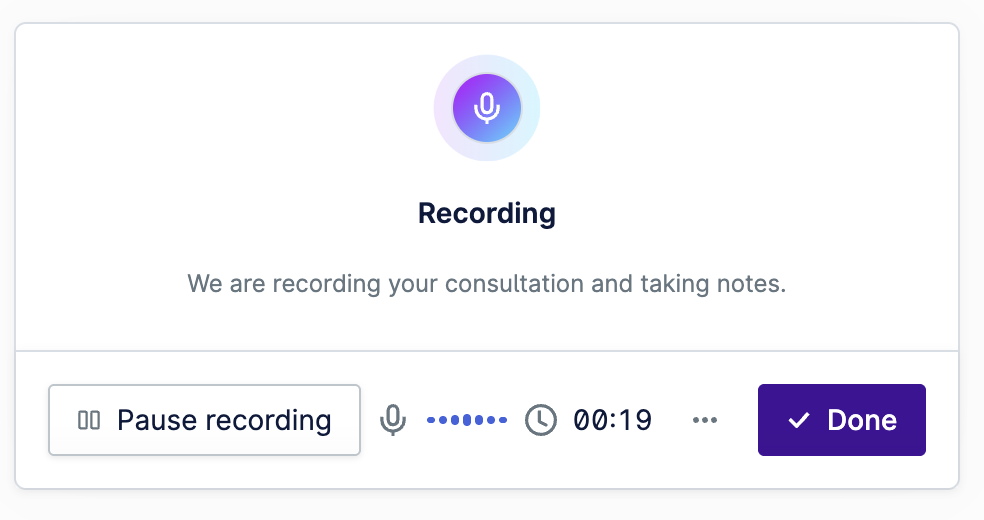
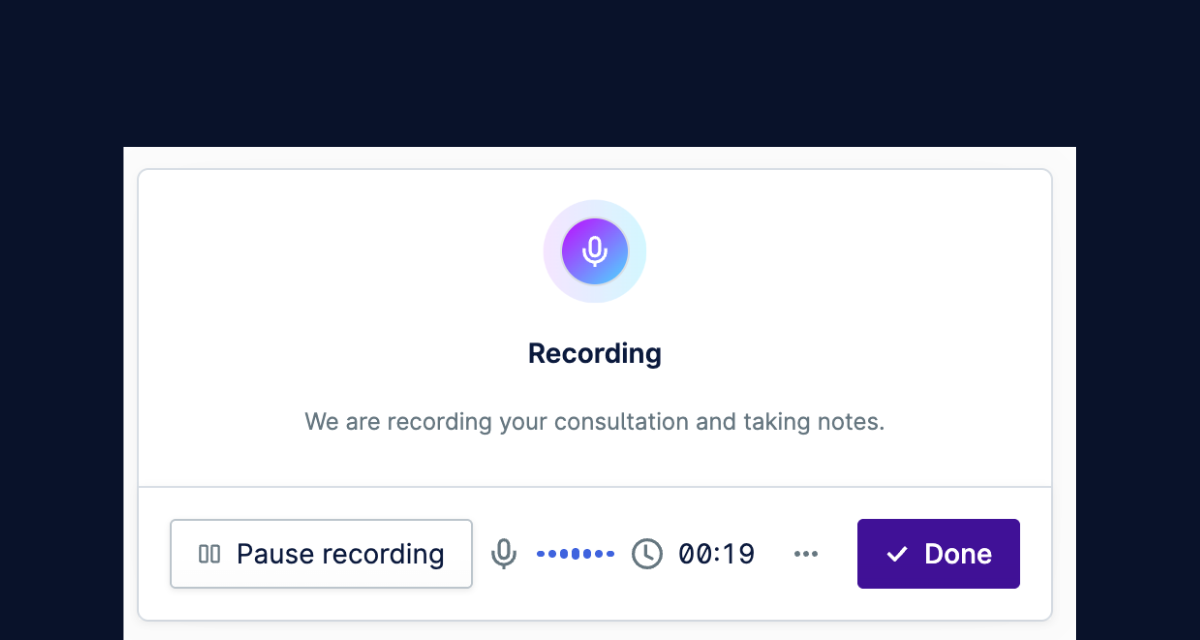
AI scribes aren’t mind readers. The clarity of the output depends on how you narrate. Speak the clinical essentials you want documented: chief complaint, vitals, focused exam findings, differentials, diagnostics, medications, plan.
Numbers and medications require special care – say them clearly to avoid AI misinterpretation. If you naturally think in SOAP format, verbalizing in that structure often produces the cleanest draft.
A good rule: Keep normal findings brief (“Heart: NAD”) and expand only on abnormalities. This gives you concise, scannable notes that still capture what matters.
Pro tip: Try a mock consultation with a technician before going live. It helps you build the habit of narrating intentionally without disrupting your natural flow.
5. Get client consent early
You might be nervous about client reactions, but in practice, most pet owners are comfortable once you explain the purpose. A simple script works:
“I’m using a tool that drafts my notes while I focus on your pet. I’ll review everything before it’s saved.”
Other ways to cover your bases:
- Post signs in exam rooms explaining AI-assisted note-taking.
- Add consent language to appointment reminders, ideally with digital signature options.
- Keep the tone positive: it’s about giving owners more of your attention and ensuring accurate records.
6. Review, edit, finalize (your 2-minute checklist)
AI speeds up your notes but it doesn’t replace your clinical judgment. Before saving, scan the draft for common slip-ups we’ve observed in real clinics:
- Numbers & units: Check HR, BP, glucose, temperature – digit mishears are common.
- Attribution: Confirm client’s statements aren’t mistakenly recorded as your words.
- Continuity: Make sure yesterday’s findings don’t reappear as today’s.
- Medications: Double-check frequencies and dosages.
- Conciseness: Remove chit-chat and redundant patient info; bullet points work better than prose.
The workflow is designed for quick review → edit → finalize inside your consult screen. The AI helps you work faster, but you remain the author.
7. Celebrate the quick wins
Most veterinarians don’t need weeks to see the payoff. Early adopters consistently reported three standout benefits:
- Complex consult notes: the AI Scribe tool shines when cases involve multiple problems and long histories.
- Discharge instructions: clearer, more personalized take-home notes that clients appreciate.
- Follow-up calls: easy to summarize updates directly into communication notes.
These early “wins” build trust in the tool and motivate the team to keep using it.
8. Standardize and expand
Once you’ve run a successful pilot and the team feels confident, it’s time to make the tool part of your clinic’s culture.
- Agree on a house style: SOAP vs. narrative, bullet list density, approved abbreviations.
- Build templates for frequent scenarios (e.g., vaccinations, rechecks).
- Collect golden examples: Notes that show “this is what good looks like” for new staff.
From there, you can expand AI scribe use to more consult types and clinicians. Scaling doesn’t mean losing control. It means making the tool an efficient, reliable part of your daily workflow.
AI Scribe pairs with AI Actions
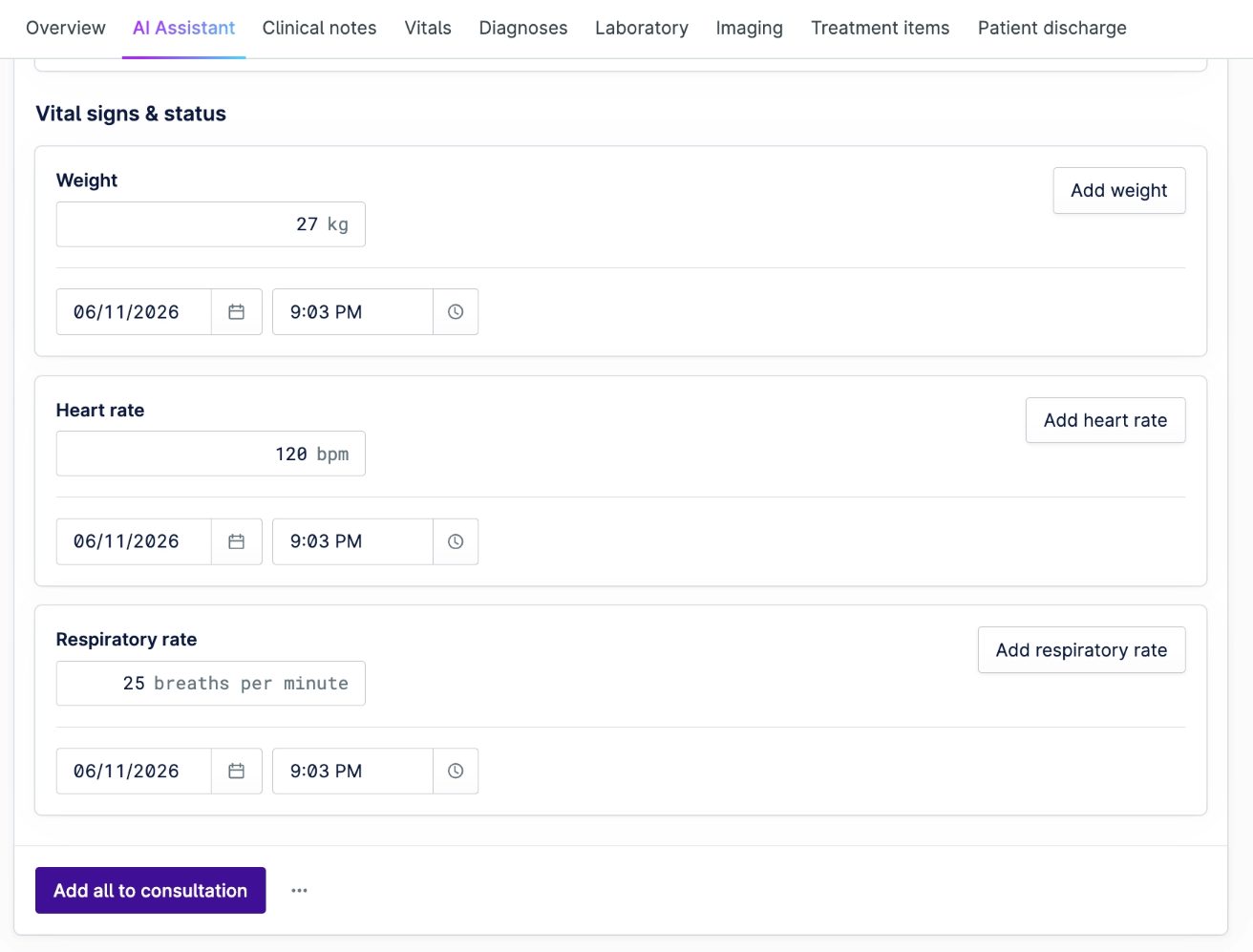
AI Scribe drafts your notes. AI Actions takes it from there. As you speak, it reads the diagnoses, medications, treatments, and vitals from your notes and matches each one to the real items in your Provet database. The matches line up in AI Actions, and once you review and approve them, they go straight to the medical record and the invoice before you leave the room.
Nothing is added without your approval, and AI Actions comes with AI Scribe at no extra cost.
The AI advantage (without the hype)
AI scribes aren’t magic, and they won’t eliminate the need for careful review. But with a decent microphone, a stable internet connection, clear clinic policies, and smart training, they can dramatically reduce the time you spend on records.
That means:
- More focus during consults.
- Less after-hours typing.
- Clearer discharge notes for clients.
- Reduced risk of burnout.
You’re not handing over authorship. You’re upgrading your workflow. Start small, keep control, and let the AI handle the typing while you keep your eyes on the patient.
Ready to try Provet's AI Scribe?
Getting started doesn’t require a major overhaul – just a few basic tools, some clear guidelines, and a willingness to experiment.
Schedule a demo with our team to see AI Scribe in action and explore how it can help you reclaim your time for what matters most.
Frequently Asked Questions
Related articles

The CMA Vet Investigation: Thoughts From UK and US Veterinarians
September 3, 2026
A Practical Guide to Vet Payment Processing for Busy Clinics
September 3, 2026

Veterinary Booking Software: How to Fill Your Calendar and Cut No-Shows
September 3, 2026